Posts

Create class Tafqeet in vb6 to use it in Excel

Image
How to create a function in VB6 to use it in Microsoft Excel (32bit) (1) Visual Basic 6.0 Create ActiveX Dll Project Save it [Name: ArabicTools ] i.e: c:\project1\ArabicTools.vbp Close vb6.0 , open it from ArabicTools.vbp Rename 'class1.cls' to 'Tafeet.cls" Code: From 'file' => make ArabicTools.dll From 'Project' => 'Properties' General Thread Model -> Apartment Threaded Compile Compile to Native Code Optimize for fast code Favor Pentium pro(tm) Component Binary Computability File-> Save File-> Make ArabicTools.dll Close vb6.0 Open command Prompt-> regsvr32 "C:\project1\ArabicTools.dll" (2) Microsoft Excel 32bit  New Microsoft Excel workbook-> sheet1 ->Developer menu-> view code From 'Tools' -> Reference-> look for 'ArabicTools'-> check it-> OK! - or Browse-> locate it. Insert new module 'module1' Code: Option Explicit Function Tafqeet (b as Double) as Double     Dim ...

VB6 Project: Automating Excel Data with ADODB RecordSet

Image
Introduction Excel Automation from within VB6 Microsoft Excel remains one of the most widely used tools for data processing. In legacy applications, Visual Basic 6 (VB6) is still relied upon to automate Excel tasks efficiently. In this project, we demonstrate how to use ADODB Recordsets to read structured Excel data (Table/ListObject) with features like table header detection , field type guessing , and safe cleanup . Project Setup 1. Open VB6 and create a new Standard EXE project. 2. Add references to: Microsoft ActiveX Data Objects 2.8 Library Microsoft Excel Object Library 3. Add a form ( Form1 ) where we’ll load Excel data into a Recordset.   Key Features Table Header Detection : Automatically recognizes Excel table headers. Field Type Guessing : Infers whether fields are string , integer , double , or date . Safe Cleanup : Ensures Excel closes properly without leaving background processes. Sample Code Here’s the main VB6 code s...

VB6 Calculator Project – From Basic to Professional

Image
VB6 Calculator Project – From Basic to Professional In this tutorial, we’ll build two versions of a VB6 Calculator Project : Easy : A simple calculator for basic operations. Advanced : A professional calculator UI with digit buttons, keyboard support, and more. Part 1: Easy VB6 Calculator Step 1: Create a New Project Open Visual Basic 6.0 . Select Standard EXE and click Open . Rename the form to frmCalculator and set the caption to Basic Calculator . Step 2: Design the Form You’ll need: 2 TextBoxes ( txtNum1 , txtNum2 ) 1 Label ( lblResult ) 4 Command Buttons: cmdAdd → Caption: + cmdSubtract → Caption: - cmdMultiply → Caption: × cmdDivide → Caption: ÷ Step 3: Add the Code Private Sub cmdAdd_Click() lblResult.Caption = Val(txtNum1.Text) + Val(txtNum2.Text) End Sub Private Sub cmdSubtract_Click() lblResult.Caption = Val(txtNum1.Text) - Val(txtNum2.Text) End Sub Private Sub cmdMultipl...

VB 6 - Download Visual Basic 6.0 Service Pack 6 2012 Update

Image
Downloading Visual Basic 6.0: A Classic Guide Visual Basic 6.0 remains a cornerstone in the world of Windows programming . Released in 1998 by Microsoft , VB6 revolutionized the way developers built applications with its user-friendly interface and rapid application development tools. Although newer languages and frameworks have taken center stage, VB6 still holds nostalgic and practical value—especially for maintaining legacy systems and understanding the evolution of software development. Introduction to Visual Basic 6.0 Visual Basic 6.0  was one of the first widely accessible development environments that allowed programmers of all levels to build Windows applications with ease. Its intuitive design, combined with built-in controls and a comprehensive library, made it the tool of choice for a generation of developers. Today, VB6 attracts enthusiasts, hobbyists, and professionals who must maintain older applications running on legacy systems . ...

vb6 MS access phonebook Part2

Image
Desktop Project ☎️Phonebook project VB6 MS Access database vb6 MS Access 2003 Database Design for Phonebook project In this part of the tutorial we will design the database according to the VB6.0 Project Requirements , we have 3 TextBoxes and 1 Image control, so we will need 4 fields in the database table. We will create only one table because there is no need to create two, just simply like that. Note, there are several ways to store data from Visual Basic windows application project on the hard drive, using MS-Access 2003 is one of the easiest ways to accomplish this task, considering your are creating a personal windows desktop application, also it is a very handy and effective method considering creating this application for some else (client). If you don't have Microsoft Access 2003, then download it included in MS Office 2003 package from Microsoft. Access 2003 Database is the most well known database ever used with Microsoft Visual Basic 6. Microsoft Access Database 2003 (*...

vb6 MS access phonebook project-Part2

Image
Visual Basic CRUD  Phonebook Project How to create phonebook in vb6 with MS Access 2003 Create a new folder on your desktop, name it ( PhoneBook ). Open your Visual Basic 6.0 , create new ( Windows Application Project ). Save As .... your project in your ( PhoneBook ) folder on Desktop with the name ( MyPhoneBook ) Or, before saving, from ( Project ) , ( Project Properties ) , ( General Tab ) , ( Project Title : MyPhoneBook ) then from ( Make Tab ) , ( Application Title : MyPhoneBook ) then click ( OK ). Save As .... your [ Form1 ] from ( Project Panel ) in the same folder with the name ( MainFrm ) Go to the ( Properties Panel ) and change the Name property of the Form1 to ( MainFrm ). Close your project. Your folder ( PhoneBook ) now should look like this Folder (PhoneBook) Now re-open the project and follow the following photo with notes on the design : [MainFrm] form with controls placed on it, see the notes below.   Notes   Numbers mark on the photo ...

VB6 Popular Posts

Visual Basic Online Course - Excel 2003 Part 1

VB 6.0 - Save/Retrieve Images From Access Database

Visual Basic Online Course - ProgressBar Colors

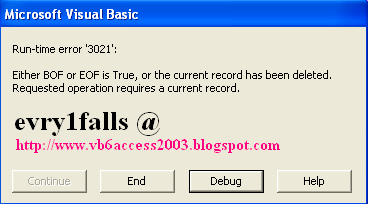
Visual Basic Online Course - Run-time error '3021' : Either BOF or EOF is True, or the current record has been deleted.

Free download Visual Basic 6 Documentation MSDN

VB 6.0 with MS-Access 2003 Copy a record from table to another

Visual Basic Online Course - Create a Phone Book

VB6 Crystal Reports 4.6 Error : Method 'Action' of object 'CrystalCtrl' Failed

Visual Basic Online Course - Temperature convector