Posts

Showing posts with the label Application Development

Create class Tafqeet in vb6 to use it in Excel

Image
How to create a function in VB6 to use it in Microsoft Excel (32bit) (1) Visual Basic 6.0 Create ActiveX Dll Project Save it [Name: ArabicTools ] i.e: c:\project1\ArabicTools.vbp Close vb6.0 , open it from ArabicTools.vbp Rename 'class1.cls' to 'Tafeet.cls" Code: From 'Project' => 'Properties' General Thread Model -> Apartment Threaded Compile Compile to Native Code Optimize for fast code Favor Pentium pro(tm) Component Binary Computability File-> Save From 'file' => make ArabicTools.dll Close vb6.0 Open command Prompt-> regsvr32 "C:\project1\ArabicTools.dll" (2) Microsoft Excel 32bit  New Microsoft Excel workbook-> sheet1 ->Developer menu-> view code From 'Tools' -> Reference-> look for 'ArabicTools'-> check it-> OK! - or Browse-> locate it. Insert new module 'module1' Code: Option Explicit Function Tafqeet (b as Double) as Double     Dim T As Object     SET T = CreateO...

vb6 MS access phonebook project-Part2

Image
Visual Basic CRUD  Phonebook Project How to create phonebook in vb6 with MS Access 2003 Create a new folder on your desktop, name it ( PhoneBook ). Open your Visual Basic 6.0 , create new ( Windows Application Project ). Save As .... your project in your ( PhoneBook ) folder on Desktop with the name ( MyPhoneBook ) Or, before saving, from ( Project ) , ( Project Properties ) , ( General Tab ) , ( Project Title : MyPhoneBook ) then from ( Make Tab ) , ( Application Title : MyPhoneBook ) then click ( OK ). Save As .... your [ Form1 ] from ( Project Panel ) in the same folder with the name ( MainFrm ) Go to the ( Properties Panel ) and change the Name property of the Form1 to ( MainFrm ). Close your project. Your folder ( PhoneBook ) now should look like this Folder (PhoneBook) Now re-open the project and follow the following photo with notes on the design : [MainFrm] form with controls placed on it, see the notes below.   Notes   Numbers mark on the photo ...

Visual Basic Online Course - Controls move slowly on VB6 IDE Win7-32, 64

Image
Visual Basic 6 IDE  behavior on MS Windows 7/10/11 VB6  IDE on Win7 and win10 Problem : When Working with Visual Basic 6.0 on Win7-32 or Win7-64, the controls [TextBox, Labels, CommandButton ..... etc] placed on the vb 6.0 Form [ VB6 IDE]  move slowly. Solution : Go to Visual Basic 6.0 main path (Microsoft Visual Studio on Main Partition), commonly is : C:\Program Files\Microsoft Visual Studio\VB98\ Locate VB6.exe and Right-Click on it. Make sure you have the full privileges (Computer Administrator), choose Properties VB6 Controls move slowly on IDE Win7 Navigate to Compatibility section, and mark / activate the option ( Run this program in compatibility mode for: ) and then from the drop-down menu choose Windows XP (Service Pack3) , also below in the settings section mark / activate the option Disable desktop composition .   Visual Basic 6.0 Controls move slowly on IDE Windows 7 Click OK and test your Visual Basic 6.0 IDE, pl...

Visual Basic Online Course - Create a Phone Book

Image
Visual Basic Help - Phone-Book Microsoft Visual Basic 6.0 help and Tutorials MS-Visual Basic 6.0 and MS-Access 2003 - Crystal Reports to create a desktop software professionally Index .../ (1) Visual Basic 6.0 project design and controls (2) MS-Access 2003 Database design (3) Visual Basic 6.0 codes for design (4) How does it work ? (5) Visual Basic 6.0 code for MS-Access 2003 (6) Crystal Reports 4.6 for Visual Basic 6.0 (7) Building the desktop application (8) Packing and Deploying the project (9) Testing the Phone-Book application (1) Visual Basic 6.0 project design & controls Create a new folder on your desktop, name it (PhoneBook). Open your Visual Basic 6.0, create new (Windows Applicatio). Save As .... your project in your (PhoneBook) folder on Desktop with the name (MyPhoneBook), or before saving, from (Project) , (Project Properties) , (General Tab) , (Project Title : MyPhoneBook) then from (Make Tab) , (Application Title : MyPhoneBook) then...

Visual Basic Online Course - Temperature convector

Image
Visual Basic Online Course Temperature Convertor - Using Scroll Bars  Scroll Bar control is a very handy tool for Visual Basic programmers. It is used in many tricks like (sizing, scrolling texts .... etc) Visual Basic ScrollBar example Temperature Convector Desktop application source code project is a good example for Visual Basic beginners to start studying ScrollBars and how handy they are for a programmer as a tool on the form. Scrollbars in Visual Basic 6.0 is free to use, easy to place on a form (Horizontally or Vertically) according to your need in the design-time (IDE), in our example we will place one Scrollbar on the form and some labels, TextBoxes and CommandButtons as in the photo below . Temperature Convector VB6 Source Code What is Celsius and Fahrenheit ? - Celsius is a scale and unit of measurement for temperature. It is named after the Swedish astronomer Anders Celsius (1701–1744), who developed a similar temperature scale. The degree ...

Visual Basic Online Course - Get the highest or biggest two numbers of three

Image
Visual Basic Online Course - Algorithm  Let say we have 3 numbers as (Student Marks A, B, C) and we want to calculate the highest 2 marks out of those three marks. How do you think we can do that ? Solution : the design  Two highest numbers of three Source Code ♥ V isual B asic 6.0 Course Online : Automate MS-Access Database in Visual Basic 6.0 though a net work Visual Basic 6.0 Analog Clock Vi sual Basic 6.0 Temperature Convertor Visual Basic 6.0 , MS-Access 2003 and Crystal Reports - Phone book Visual Basic 6.0 , MS-Access 2003 Database and DataGridView Visual Basic 6 .0  FTP full application source code Visual Basic 6.0 Color Picker tool source code Visual Basic 6.0 TreeView Control lesson ( Part1 - Part 2 - Part3 - Part4 - Part5 ) Arabic. Visual Basic 6.0 - Introduction to Gr aphics ( Part1 - Part2 - Part3 )   Visual Basic 6.0 and MS-Excel 2003 tutorials ( Part1 - Part2 - Part3 - Part4 - Part5 - Part6 )

VB6 Popular Posts

Visual Basic Online Course - Excel 2003 Part 1

Visual Basic Online Course - ProgressBar Colors

VB 6.0 - Save/Retrieve Images From Access Database

Visual Basic Online Course - Create a Phone Book

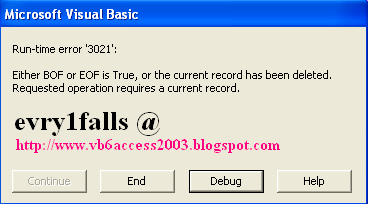
Visual Basic Online Course - Run-time error '3021' : Either BOF or EOF is True, or the current record has been deleted.

Free download Visual Basic 6 Documentation MSDN

VB 6.0 with MS-Access 2003 Copy a record from table to another

VB6 Crystal Reports 4.6 Error : Method 'Action' of object 'CrystalCtrl' Failed

Visual Basic Online Course - Temperature convector