Posts

Visual Basic Online Course - How to make sure all TextBoxes on form are not empty

Visual Basic Online Course  How to check if all TextBoxes on form are Empty or not ?! - In VB.Net it is easy to check if all textboxes values are empty or not, but in Visual Basic 6.0 it is quite tricky because there is no (String.IsNotNullOrEmpty) in VB 6.0. - Let say you have VB 6.0 Project with Database of any sort, your VB6.0 Project has many TextBoxes (i.e. 15 TextBoxes), and you're adding 10 textboxes contents into a database table fields, and all of them are required (*), so you can do something like this : You'd need something more flexible and not too long to write every time, also you'd need something dynamic. - Or - I've found this page that solved the problem for me and i thought that it would be helpful to share it . Here is the link And you can add this block of code to a sub and use it, or even a function . But this is not gonna help you if you decided to change your logic of adding data to database. ...

Visual Basic Online Course - How to create a Count Down Timer OCX file Source Code

Image
Visual Basic Online Course - How to create a Count Down Timer OCX file Source Code vb6 OCX countdown timer source code Steps to create a count down timer OCX In Visual Basic 6.0 Introduction Creating a count down timer can be tricky even for an advanced programmer, the idea of a counter is almost the same except we count down in this case, counting up as a default counter relies on adding (1) to the value of an integer variable in a timer tool, and the best example for this is the (Clock / Timer) where you put: Label1.Caption = Now in a timer control whose interval is (1000 ms) and finaly in (Form_Load) event you triger the (Timer1_Timer) event by setting its (Enabled) value = (True). Logic In our example (The Count Down Timer) we don't just inverse the previous process, we create a new method as shown in the source code. The idea of a count down timer is : variable integer = value minus (-1, -2, -3, ......) another integer variable in a timer i.e. (Sec) ...

Visual Basic Online Course - Save & Retrieve Photos from database

VB 6.0 - Save & Retrieve Photos How to save a photo and retrieve it correctly from Access 2003 database pro-grammatically  ♥ V isual B asic 6.0 Course Online : Automate MS-Access Database in Visual Basic 6.0 though a net work Visual Basic 6.0 Analog Clock Vi sual Basic 6.0 Temperature Convertor Visual Basic 6.0 , MS-Access 2003 and Crystal Reports - Phone book Visual Basic 6.0 , MS-Access 2003 Database and DataGridView Visual Basic 6 .0  FTP full application source code Visual Basic 6.0 Color Picker tool source code Visual Basic 6.0 TreeView Control lesson ( Part1 - Part 2 - Part3 - Part4 - Part5 ) Arabic. Visual Basic 6.0 - Introduction to Gr aphics ( Part1 - Part2 - Part3 )   Visual Basic 6.0 and MS-Excel 2003 tutorials ( Part1 - Part2 - Part3 - Part4 - Part5 - Part6 )

Visual Basic Online Course - File Handling

بسم الله الرحمن الرحيم التعامل مع الملفات من خلال الفيجوال بيزك معلومه Bit 8 بت = 1 بايت أو حرف Byte\Character عدد من البايت أو الحروف = 1 حقل أو متغير نصى Field\String عدد من المتغيرات النصيه أو الحقول  = 1 سجل Record عدد من السجلات  = 1 ملف File عدد من الملفات = 1 قاعدة بيانات DataBase . و فيما يتعلق بالفيجوال بيزك 6 فان هناك 3 طرق للتعامل مع الملفات و هى : الطريقه النصيه أو التتابعيه Sequential Mode \ Text Mode الطريقه العشوائيه للوصول Random Access Mode الطريقة الثنائيه Binary Mode . بالنسبه للطريقه النصيه ( التتابعيه ) فان البيانات Data تخزن و تسترجع على شكل حروف Characters. أما بالنسبه للأرقام فإنها تخزن و تسترجع على شكل قيم من جدول Ascii . مثال : عند محاولة تخزين و استرجاع الرقم 17 فانه يخزن و يسترجع على أساس قيمته من جدول Ascii وهو [55 49] . بالنسيه للطريقه الثنائيه ( Binary ) فان البيانات Data تكتب و تسترجع على على شكل أرقام . فالنسبه للرقم 17 فإنه يخزن بشكله و قيمته [17] و الحروف تخزن بقيمتها الرقميه من جدول Asc...

Visual Basic Online Course - vb6 Color Picker

Image
بسم الله الرحمن الرحيم شرح مثال Color Picker Source Code لمن يرغب فى تعلم الدوال الموجوده فى الفيجوال بيزك VB 6.0 Built-In Functions  vb6 color picker example source code بداية Color Picker هى أداة انتقاء اللون من على سطح أداه أو أى شىء معروض فى الويندوز , و الميزه هنا أننا سنقوم بدراسة و التعرف على دوال جديده حيث يعتبر هذا المثال دليل عملى عليها. و أيضا يعتبر هذا الدرس تطبيق جيد جدا لموضوع Graphics For Visual Basic 6.0 و الذى تم الانتهاء من جميع أجزاءه بالكامل . سنبدأ بشكل الفورم و هى كما بالصورة التاليه : Form Design PictureBox - Label1 - Label2 - Label3 - Timer1 و الفكره كالتالى : كلما تحرك مؤشر الماوس فى مكان ما فاننا سنعرف احداثيات هذا المكان فى (Label1 - Label2) و رقم لون المكان RGB فى (Label3) و اللون نفسه فى (PictureBox) عن طريق الـ Timer . الأن الأكواد : Visual Basic 6.0 Color Picker For Windows Project Code الشـــــــــــــــــرح الأكواد السابقه يمكنك Copy  و Paste على Form مباشرة بعد اضافة الأدوات ا...

Visual Basic Online Course - Enum

بسم الله الرحمن الرحيم و Enum هى اختصار لـ Enumeration أو اللوائح أو القوائم و يتم كتابة كود الـ Enum فى موديول Module أو General Declaration كالتالى : Enum MyEnum - - - - End Enum أو Public Enum MyEnum - - - End Enum باستخدام Access Modifiers أو بدون . - يقدم الفيجوال بيزك 6 قوائم جاهزة مثل vbDayOfWeek و يمثل أسماء أيام الأسبوع و يمكنك تجربة ذلك فى مشروع جديد فى الفورم Form_Load اكتب vbDayOfWeek ثم (.) ستجد قائمة بها اسماء أيام الأسبوع . - اذا يستخدم الـ Enum فى عمل قائمة عرض بثوابت أسميه و ثوابت اسميه مثل أسماء أيام الأسبوع و نوعها String و يمكنك عمل Enum لثوابت Long و Integer و أى نوع من أنواع البيانات DataType . - و فى الـ Enum يتم ترتيب الثوابت بحسب ترتيب كتابتها فى الكود حيث اذا اردت عرض أسماء ايام الأسبوع بالترتيب فى برنامجك فيجب عليك عمل كود الـ Enum بالترتيب الذى تود العرض به .... كالتالى : - يعامل الفيجوال بيزك جميع عناصر الـ Enum على أنها Long Integer و اذا قمت بتخصيص علامع عشريه لثابت من ثوابت الـ Enum فان الفيجوال ...

VB6 Popular Posts

Visual Basic Online Course - Excel 2003 Part 1

Visual Basic Online Course - ProgressBar Colors

VB 6.0 - Save/Retrieve Images From Access Database

Visual Basic Online Course - Create a Phone Book

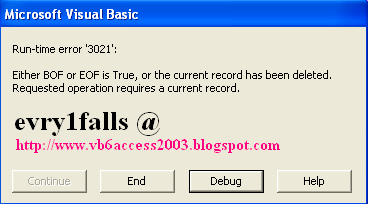
Visual Basic Online Course - Run-time error '3021' : Either BOF or EOF is True, or the current record has been deleted.

Free download Visual Basic 6 Documentation MSDN

VB 6.0 with MS-Access 2003 Copy a record from table to another

VB6 Crystal Reports 4.6 Error : Method 'Action' of object 'CrystalCtrl' Failed

Visual Basic Online Course - Temperature convector